
Insight without the warehouse project
Your teams build their own knowledge bases. UDDI makes them intelligent.
UDDI lets business teams assemble knowledge bases from the SharePoint content they already trust — then makes them searchable, citable, and measurable. Deployed inside your Azure tenant. Scoped by the Microsoft permissions you already manage.
Your infrastructure. Your identities. Your models. Your data never leaves your tenant.
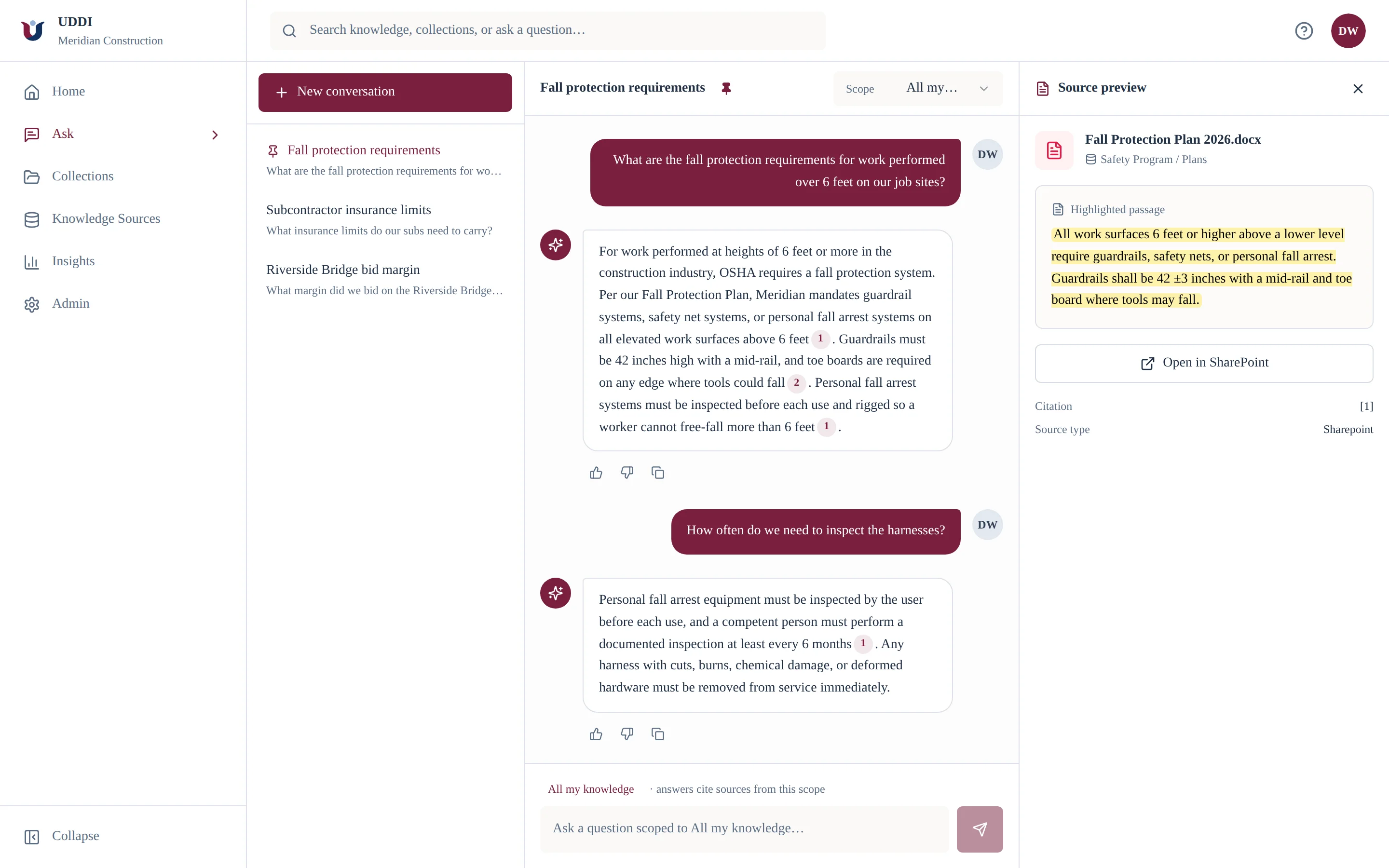
Every answer cites its source — down to the highlighted passage, with a link back to the file.
How it works
From install to answered questions in an afternoon — no data team, no migration, no tickets.
Deploy
Install UDDI from Azure Marketplace into your Azure tenant and connect SharePoint with least-privilege identity.
Curate
Team leads assemble collections with the file picker and scope visibility to the Entra groups they already use.
Govern
Entra identities and source permissions are enforced at query time, and every material decision is audited.
Activate
Grounded chat and search first — then the same collections extend into analytics and connected workflows.
Everything a team needs. Nothing a data team has to run.
Build collections in minutes
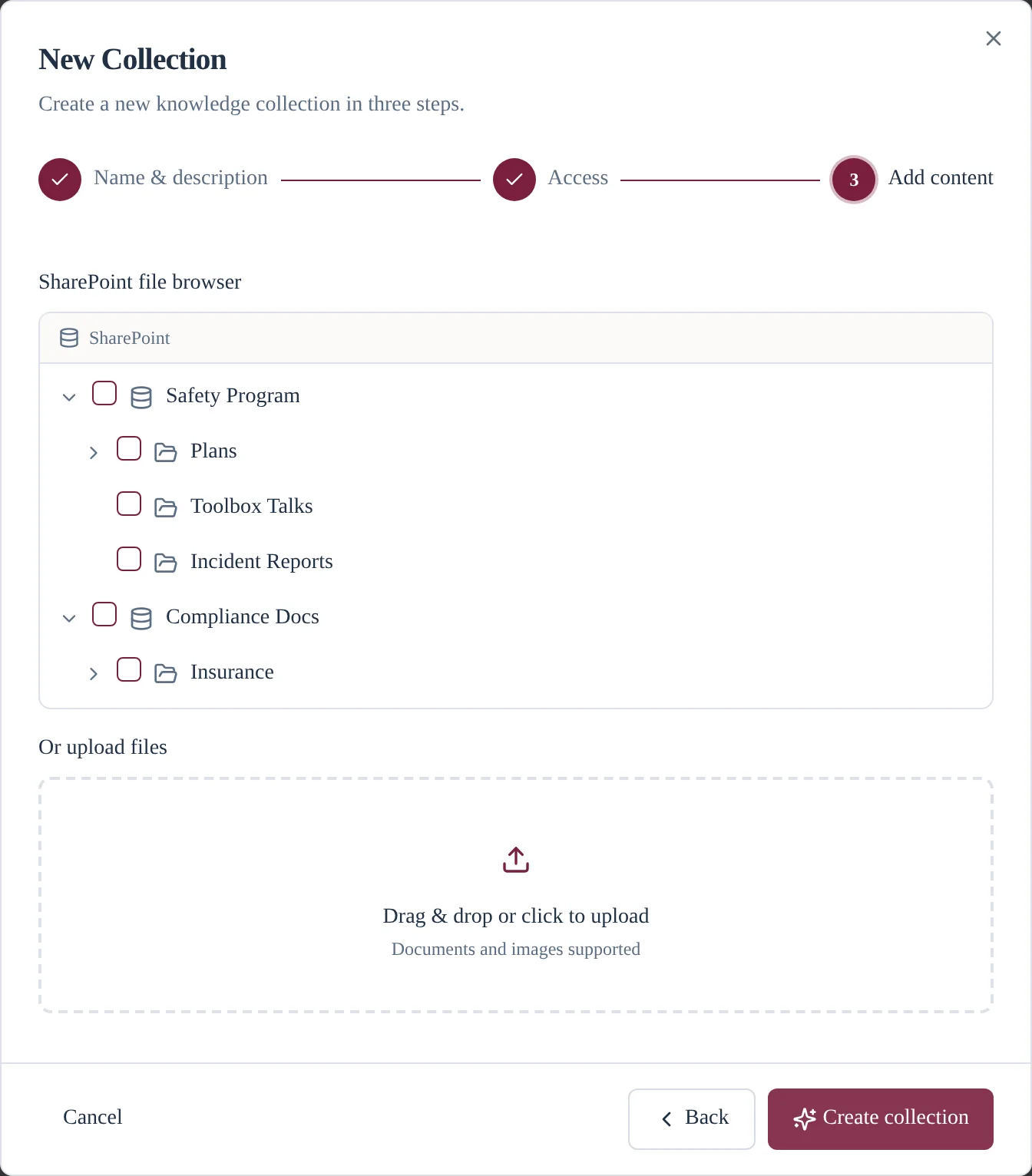
A team lead picks the SharePoint folders and files that matter, scopes visibility to Entra ID groups, and has a working knowledge base without a ticket.
Understand content automatically
Documents are parsed, classified, and embedded for retrieval — with no pipelines for anyone to babysit.
Preserve existing permissions
Microsoft Entra groups and source permissions remain authoritative. Access control rides into every retrieval decision.
Deliver grounded answers
Chat and search with citations that link back to source content users are permitted to see — and honest abstentions when the docs don’t know.
Measure what your company knows
Insights show usage, answer quality, and knowledge gaps — so collection owners know exactly what to add next.
Built for operational teams
Purpose-built for operations — construction and AEC first — where tribal knowledge runs deepest and generic assistants fall flat.
Why not just Copilot?
Curated, not crawled.
Copilot searches everything a user can touch — and inherits every oversharing mistake in your tenant. UDDI answers from collections your teams deliberately assemble: the documents they actually trust, chosen in a three-step wizard, shared with the right Entra groups.
- Teams decide what belongs — answers come from trusted documents, not whatever matched.
- Visibility is scoped by the Entra security groups IT already manages.
- Answers cite their sources; when the documents don’t know, UDDI says so.
Measured, not opaque
See what your company knows — and what it doesn't.
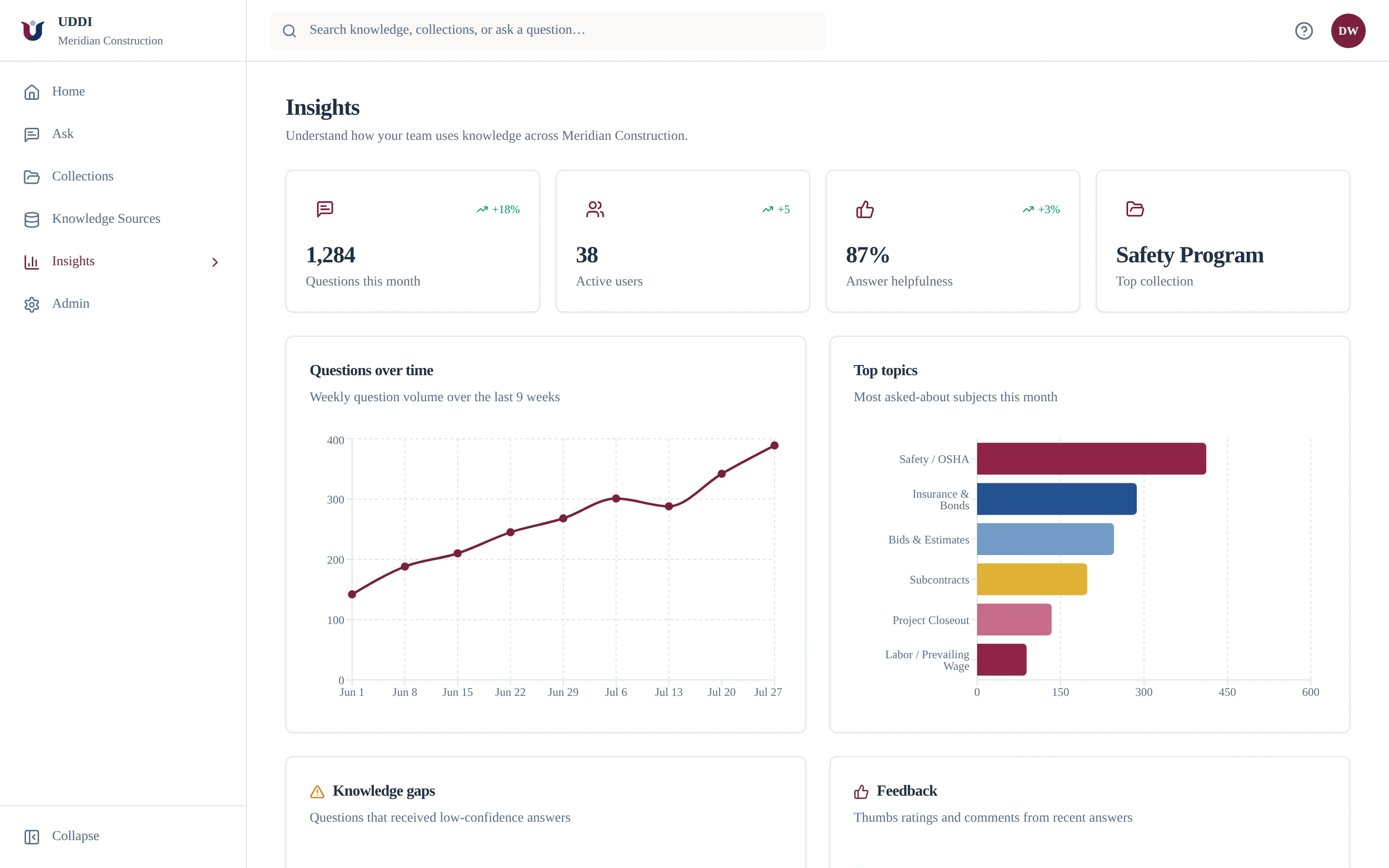
Insights show what people ask, what goes unanswered, and where knowledge gaps live. The platform tells collection owners exactly what to add next — and gives leadership usage and answer-quality numbers worth putting in a slide.
- Questions and adoption over time, by team and topic.
- Answer helpfulness from real user feedback.
- Knowledge gaps ranked by confidence — next week’s curation list, written for you.
Enterprise AI should inherit your security model — not replace it.
During ingestion, every retrievable object is linked to access-control metadata. At query time, UDDI resolves the user's identity and groups, applies mandatory permission filters, and sends only authorized context to the model — with audit evidence end to end.

Your tenant, your data
Deployed into your Azure subscription. Documents, embeddings, indexes, and model calls stay inside your boundary.
Your identities
Microsoft Entra ID for sign-in. Entra groups and source permissions remain the authorization source of truth.
Fail-closed retrieval
Permission filters are applied before content ever reaches a model. When authorization is uncertain, retrieval fails closed.
How UDDI works with your data
The questions your security review will ask — answered the way we'd answer them in the review.
Does our data leave SharePoint?
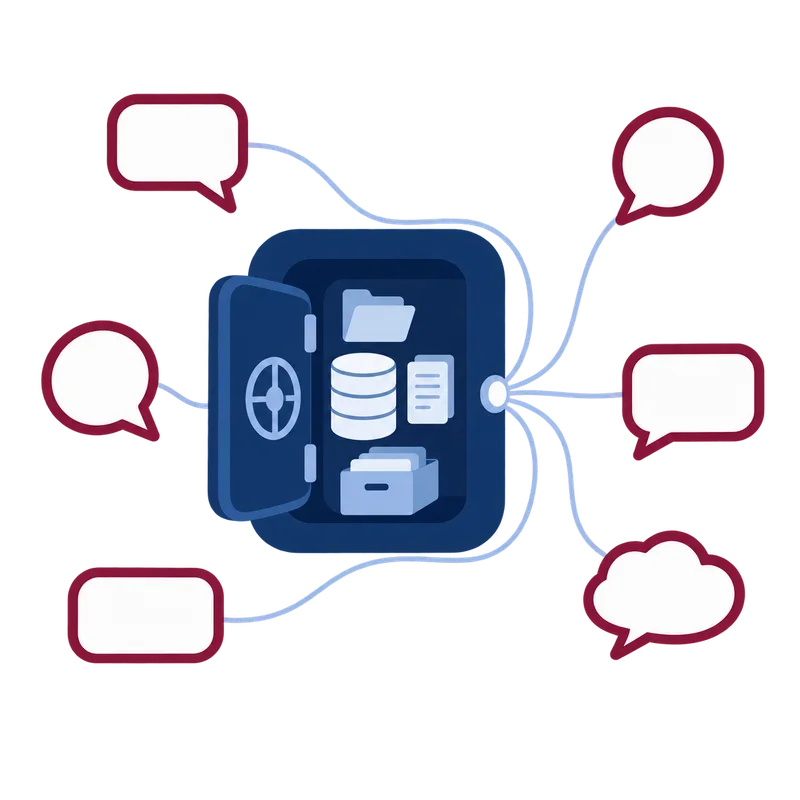
Your documents are never moved, copied wholesale, or modified — SharePoint stays the system of record. UDDI reads them through the Microsoft Graph API and builds a search index from what it reads, the same way SharePoint’s own search does. Remove a source and only the index entries are deleted; the site is untouched.
What exactly does UDDI store?
Not your files. The index holds extracted text in passage-sized chunks, an embedding (a numeric fingerprint of each chunk’s meaning), and metadata: document name, a link back to the file, and the permissions that govern who may see it. Think of it as a library catalog — rebuildable from source at any time, and disposable.
Where does the index live?
That depends on your tier, and it’s the real difference between them. On Starter it runs in UDDI’s Azure, isolated per account. On Business it lives in your own Azure subscription — your data rests inside your tenant. On Tenant-Deployed, the application, index, and AI all run in your Azure: your data never leaves your tenant, no asterisk. The full boundary table is on the pricing page.
What can UDDI read in the first place?
Only what the person connecting it can read. UDDI uses delegated Microsoft permissions — there is no super-user service account crawling your tenant. When an admin indexes a whole site, that happens under the admin’s own access, and it can never see more than they can.
Who can see what in answers?
Every question is filtered by the asker’s identity before retrieval. For company sites, each document’s own SharePoint permissions are captured at sync time and enforced per document — people only get answers from files they could already open. Team collections are scoped to the Entra groups their curator chose. Only authorized passages ever reach the model, and grants that can’t be verified fail closed.
Is our content used to train AI models?
No. Answers are generated with Azure OpenAI, which processes your passages to respond and does not use them to train models. On Business and Tenant-Deployed tiers those model calls run in your own Azure OpenAI resource, under your subscription’s terms and region.
Want the commercial side? See the data-boundary table on the pricing page.
Prove team-built AI in two weeks.
Choose one team and one knowledge domain. Deploy into your Azure tenant, let the team build its first collection, and measure permissions, answer quality, and adoption — ending with a decision-ready production plan.
Create your company accountStart with trust. Expand with evidence.